Who It Suits
3D printing suits people who enjoy practical problem solving, small repairs, custom objects, and learning by adjusting settings. It works well if you like both digital planning and hands-on tinkering, because good prints depend on design choices, material behaviour, machine setup, and patience.
The appeal is concrete: you can make objects that are awkward to buy off a shelf — a replacement knob, a custom mount, a case fitted to your own device — and the machine does the making while you learn to direct it. The honest constraints: a single print can take tens of minutes to many hours, early prints often fail in small ways, and the machine is a real purchase rather than a cheap trial.
Getting Started
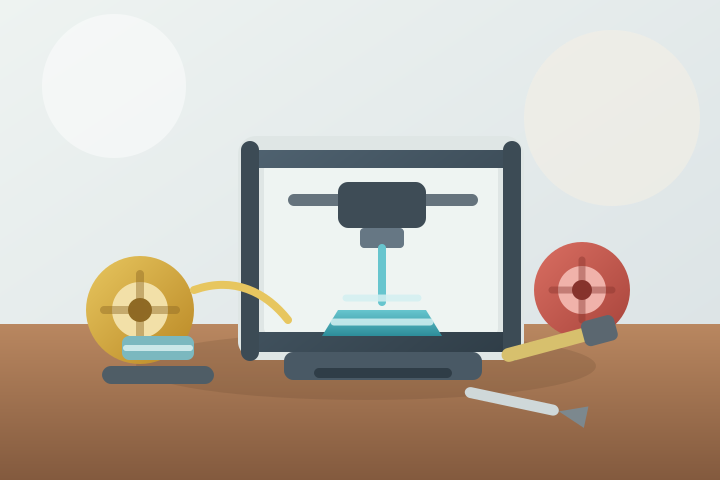
Most beginner printers use FDM (fused deposition modelling), also called FFF: a heated nozzle melts a thin plastic filament and lays it down layer by layer on a build plate. A second family, resin (SLA) printers, cures liquid photopolymer resin with light to produce finer detail, but liquid resin is a skin and eye irritant and needs more careful handling and cleanup. For most beginners, FDM with PLA filament is the right starting point: it is forgiving, relatively low-odour, and the free model libraries are full of prints suited to it.
The workflow is: find or design a 3D model, slice it, print it, then post-process it. Slicing means running the model through software (a slicer) that turns it into machine instructions — layer height, infill, supports, temperatures. Start with a small useful object — a phone stand, cable clip, or replacement knob that prints in under a couple of hours — rather than a large decorative piece, so you learn bed adhesion, supports, and basic troubleshooting without wasting a full spool of filament.
Basic Gear
Essential:
- A beginner-friendly FDM 3D printer; many current models include automatic bed levelling and filament loading.
- One spool of PLA filament (1 kg is the standard size).
- A free slicer; PrusaSlicer is open source and most printers ship with a profile for it.
- A stable, level surface with a power socket nearby.
Optional at first:
- Flush cutters, a scraper, and small pliers for removing prints and trimming supports.
- Isopropyl alcohol or another suitable bed-cleaning method.
- Digital calipers if you want to make fitted parts.
- Airtight storage bags or boxes to keep filament dry.
- An enclosure, if you plan to print materials beyond PLA or want quieter, more consistent results.
First Session
Use the first session to set up the printer, run its bed levelling (manual or automatic), load PLA, and print a small test model. Watch the first layer closely because it reveals most early setup problems: poor adhesion, warping, and stringing all show up in the first few minutes. Stop after one successful print and note the nozzle temperature, bed surface, and slicer profile that worked.
First Month
Use the first month to understand the whole workflow: find or design a model, slice it, print it, remove supports, clean it up, and decide what to change next time. A few terms will do most of the work:
- Layer height — the thickness of each layer; lower values give finer detail but longer prints.
- Infill — the internal structure of the part; a few percent is enough for most objects.
- Supports — scaffolding printed under overhangs; good model orientation avoids most of them.
- Bed adhesion — how well the first layer sticks; brims and rafts are the standard fixes.
Try several short prints before committing to large objects, and keep notes about filament brands, nozzle temperatures, bed adhesion, and failure patterns. Finish the month with one slightly larger useful project.
Costs
3D printing usually starts at a moderate to high cost because the printer is only the first purchase. As of mid-2026, entry-level FDM printers typically cost around US$200–400, and a 1 kg spool of PLA around US$20–30; prices vary by region and change over time, so check current listings before budgeting. A small print uses only a few grams of filament, so material cost per print is small, but failed prints are a normal part of learning. Filament, spare nozzles, build plates, tools, replacement parts, storage, and electricity all add to the real budget.
Lower-cost routes exist: makerspaces and fab labs often charge modest membership or per-hour rates, many public libraries and schools run 3D printing programs, and used printers are widely available. Starting with PLA and small prints keeps the learning cost manageable.
Space Needed
A small desk, shelf, or workbench can be enough, but the printer needs a stable, level, vibration-free surface, ventilation, nearby power, and room for filament storage. The machine occupies that spot for hours at a time while it prints. Noise, heat, and occasional plastic smell may matter if the printer is in a bedroom or shared living space.
Solo or Social
Most printing happens solo, but the hobby has a strong social side. Model-sharing sites such as Printables and Thingiverse are where most beginners find their first models, and communities like Reddit’s r/3Dprinting are useful for troubleshooting. Local makerspaces, fab labs, school labs, libraries, and repair communities add hands-on access and advice; the Fab Lab Network lists labs in more than 100 countries. Sharing print settings and failure photos is often the fastest way to solve problems.
Common Mistakes
- Starting with huge prints before learning first-layer setup.
- Changing many slicer settings at once.
- Using damp filament and blaming the printer.
- Printing functional parts without checking measurements.
- Ignoring ventilation and material safety.
- Buying upgrades before understanding the stock machine.
- Ignoring a model’s license — many free models are shared under Creative Commons non-commercial terms, which is fine for personal use but not for selling prints.
- Jumping to a resin printer before learning FDM basics.
Safety / Accessibility
The nozzle runs hot enough to melt plastic (typically around 190–220 °C for PLA) and the bed can also be warm, so keep hands, children, and pets away from a running printer, and let parts cool before handling. Moving parts and sharp tools deserve the same caution.
FDM printing releases ultrafine particles and volatile organic compounds. The US EPA and NIOSH recommend choosing lower-emission materials, ventilating the space, using an enclosure, and reducing time spent near the printer while it runs. PLA is the lower-emission common choice; ABS and specialty filaments emit more and are best kept in enclosed, well-ventilated setups. Children may be more vulnerable to these emissions, so printing around them deserves extra ventilation and supervision.
Resin printing adds chemical hazards: liquid resin is a skin and eye irritant, so wear nitrile gloves, avoid skin contact, wash hands afterwards, work in a ventilated area, and follow the resin’s safety data sheet for disposal. Cured, washed prints are much less hazardous, but still handle waste responsibly.
Small plastic scraps and support bits are a choking hazard for young children and pets.
Larger handles, automated bed levelling, pre-made slicer profiles, seated work, good lighting, and labelled filament storage can make the hobby easier to manage.
Where It Can Go
3D printing can lead toward product design (Tinkercad is a common first design tool, with more advanced CAD later), cosplay props, tabletop terrain, home repair, robotics parts, model making, mould making, engineering prototypes, custom tools, sculpture, jewellery experiments, or small-batch practical objects. FDM suits functional parts and repair; resin suits miniatures, jewellery masters, and casting moulds where fine detail matters.
References
Last reviewed: 16 August 2026.
Official safety sources:
- US EPA: 3D Printing Research for what FDM printing emits (ultrafine particles, VOCs), how PLA and ABS compare, and the NIOSH control measures it cites.
- NIOSH: 3D Printing with Filaments — Health and Safety Questions to Ask (DHHS (NIOSH) 2020-115) for the official health and safety checklist for filament printing.
Specialist guides:
- Prusa: Everything You Always Wanted to Know About Resins and Safety SLA Printing for resin chemistry, GHS hazard labelling, and safe handling and disposal.
- Prusa Knowledge Base: Where can you get 3D models? for model sources and the Creative Commons licensing that most free models use.
Background:
- Wikipedia: Fused deposition modeling and Wikipedia: Stereolithography for the two main desktop 3D printing technologies.
Community resources (optional):
- Fab Labs Network for finding a fab lab near you; the network lists labs in more than 100 countries.
- Printables and Thingiverse for free community model libraries.
- r/3Dprinting for troubleshooting and community discussion.
Related Hobbies
Robotics, model making, woodworking, digital illustration, cosplay, board games, jewellery making, and electronics all connect with 3D printing through design, fitting, finishing, and practical problem solving.